
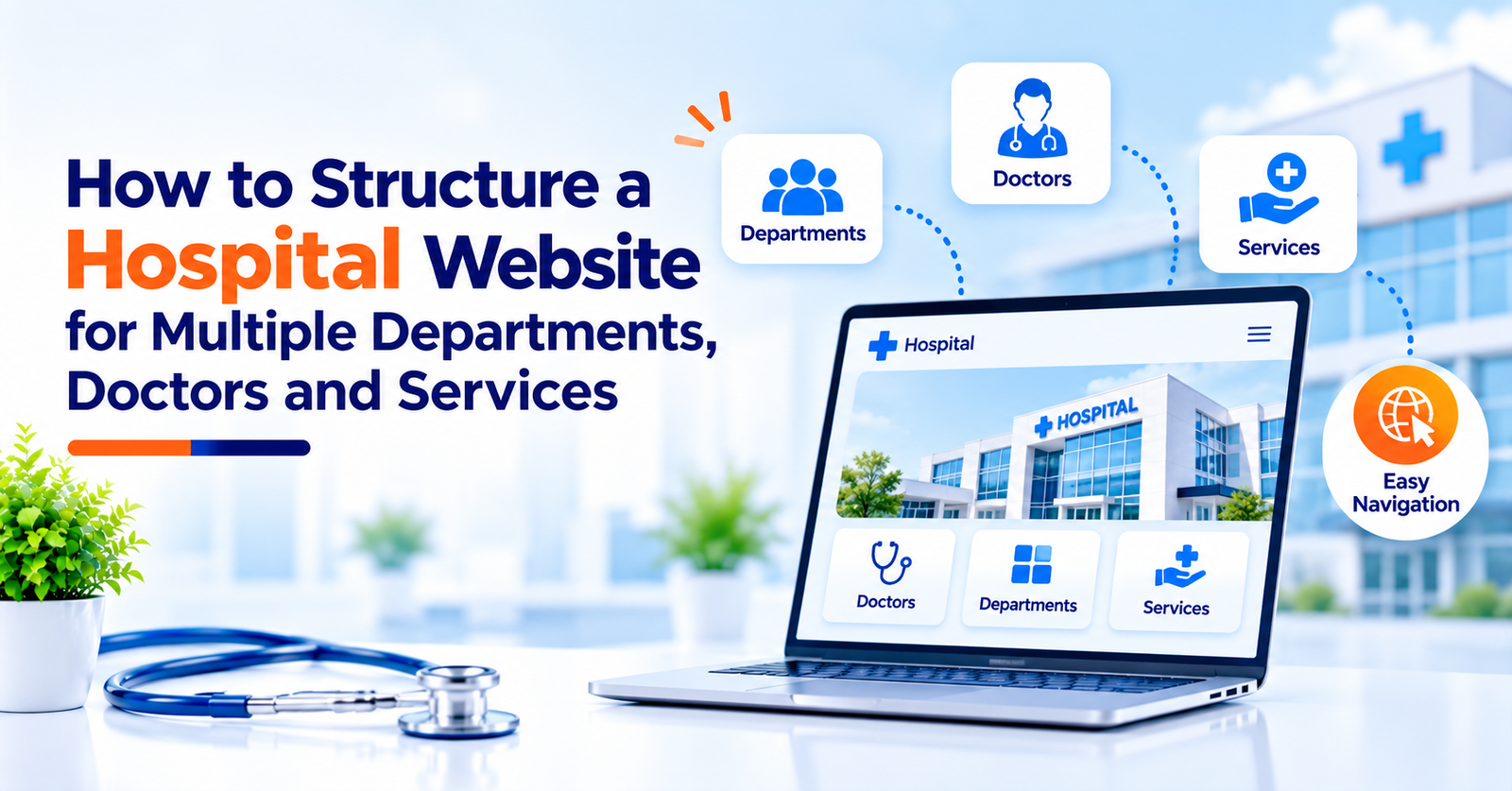
A hospital website needs to do more than display its name, address, and contact number. Visitors may arrive looking for a specific department, searching for a doctor, comparing medical services, or trying to book an appointment. If the website contains many pages but lacks a clear structure, finding the right information can become frustrating.
This challenge becomes more noticeable for multi-speciality hospitals that manage several departments, doctors, diagnostic services, and treatment options. Without a logical website structure, important pages can become difficult to navigate, information may be repeated, and visitors may struggle to reach the appropriate service.
World SEO Services helps healthcare businesses strengthen their digital presence through healthcare SEO, website development, content marketing, local SEO, and lead generation. A well-planned website structure can support these activities by making information easier to find for visitors and easier to understand for search engines.
In this guide, we will explain how to organise a hospital website for multiple departments, doctors, and services, with practical recommendations for navigation, page hierarchy, user experience, and SEO.
Why Hospital Website Structure Matters
Hospital websites often contain a large amount of information. A single website may need to cover cardiology, orthopaedics, gynaecology, paediatrics, diagnostics, emergency services, doctor profiles, appointment options, and patient information.
If everything is placed under a few broad pages, visitors may not know where to look. On the other hand, creating too many disconnected pages can make navigation complicated.
A clear structure helps a hospital:
- Make departments and services easier to discover.
- Help visitors find relevant doctor profiles.
- Provide clear pathways to appointment information.
- Organise content for search engine discovery.
- Reduce unnecessary duplication between pages.
- Keep information consistent as services expand.
- Improve the experience across mobile and desktop devices.
The main objective is to organise information around what visitors need to find, rather than around the hospital’s internal departments alone.
1. Start With a Clear Website Hierarchy
A hospital website should have a logical hierarchy that moves from general information to more specific details.
For example, the homepage can introduce the hospital and its main services. Department pages can explain different specialities, while individual doctor pages provide information about specific professionals.
A practical structure might look like this:
- Home
- About the Hospital
- Departments
- Cardiology
- Orthopaedics
- Gynaecology
- Paediatrics
- Doctors
- Doctor Profiles
- Services
- Diagnostic Services
- Surgical Services
- Emergency Services
- Patient Information
- Health Resources
- Contact and Appointments
This is an illustrative structure, not a fixed template. The final hierarchy should reflect the hospital’s actual departments, services, audience needs, and booking process.
Keep the most important pages easy to access. Visitors should not need to navigate through several unrelated sections just to find a department or doctor.
2. Create a Dedicated Page for Each Major Department
A multi-speciality hospital should generally have a dedicated page for each major department when there is enough useful information to justify it.
A single page listing every speciality may help visitors understand the hospital’s overall offering, but it may not answer detailed questions about individual departments.
A dedicated department page can explain:
- The conditions and concerns the department addresses.
- The services available within the department.
- The doctors associated with it.
- Relevant diagnostic or treatment facilities.
- Consultation and appointment information.
- Common questions visitors may have.
- How to contact the department or request an appointment.
For example, a cardiology page could introduce the department, explain its available services, identify the relevant specialists, and direct visitors to appointment information.
Important: Only include services the hospital actually provides. Medical content should be accurate, easy to understand, and reviewed by qualified professionals where appropriate.
3. Build Individual Doctor Profile Pages
Visitors often search for a specific doctor or want to understand a specialist’s qualifications before contacting a hospital. A well-organised doctor directory helps them identify the right professional.
Instead of placing every doctor’s information in a long paragraph on one page, create individual profile pages when appropriate.
Each profile may include:
- Doctor’s full name and professional designation.
- Verified qualifications and specialisation.
- Relevant professional experience.
- Departments or services associated with the doctor.
- Consultation availability, where confirmed.
- Languages spoken, if relevant and accurate.
- Appointment instructions.
- Hospital location or clinic details.
Keep the information consistent across all profiles. If a doctor’s schedule, designation, or department changes, update the relevant pages promptly.
A central doctor directory can help visitors browse available specialists, while individual profile pages provide more detailed information.
Avoid unsupported claims about a doctor’s expertise, success rates, or treatment outcomes. Professional information should be verifiable and presented responsibly.
4. Separate Departments From Specific Services
Departments and services are related, but they are not always the same thing.
A department represents a medical speciality or organisational unit. A service describes a specific facility, procedure, consultation, or offering available to visitors.
For example, a hospital’s orthopaedics department may provide consultations, fracture management, joint-related care, and certain surgical services. Each service may need its own page if it requires detailed information and has a distinct search purpose.
A useful structure could be:
Orthopaedics Department
- Overview of the department
- Available specialists
- General information about orthopaedic care
- Links to relevant services
Individual Service Pages
- Description of the service
- Who provides it
- Relevant preparation or consultation information
- Frequently asked questions
- Appointment or enquiry options
This approach helps visitors understand the relationship between the department and its offerings.
However, avoid creating separate pages for every small variation of the same service. Pages should provide distinct value rather than repeating nearly identical content.
5. Design Navigation Around Visitor Needs
Hospital websites serve different audiences. Some visitors want to find a doctor, while others need a department, diagnostic service, hospital address, or appointment option.
The navigation menu should make these common tasks straightforward.
Useful main navigation items may include:
- Departments
- Find a Doctor
- Services
- Patient Information
- Health Resources
- Contact Us
The exact menu depends on the hospital’s size and priorities. A large hospital may benefit from dropdown menus or a structured department directory, while a smaller facility may need a simpler menu.
Navigation best practices:
- Use familiar, descriptive labels.
- Keep the main menu manageable.
- Group related pages logically.
- Make important contact options easy to find.
- Ensure menus work properly on mobile devices.
- Avoid placing essential information too deeply within the hierarchy.
Visitors should be able to understand where they are and how to return to a broader section. Breadcrumb navigation can help, particularly on large websites.
6. Make Doctor and Department Discovery Easier
As the number of doctors and departments grows, a simple list may become difficult to use. Search and filtering options can help visitors narrow down the available choices.
Depending on the hospital’s needs, a doctor directory could allow visitors to browse by:
- Specialisation.
- Department.
- Doctor name.
- Hospital location.
- Consultation availability, if the information is maintained accurately.
For example, someone looking for a paediatrician should be able to navigate directly to the relevant speciality or filter the doctor directory accordingly.
Keep the experience simple. Search filters should return useful results, display clear messages when no results are available, and work reliably on mobile devices.
Do not display availability information that cannot be maintained accurately. Incorrect schedules can cause confusion and reduce confidence in the website.
7. Plan URLs and Internal Linking Carefully
Website URLs and internal links help visitors move between related pages. They also provide useful context about how the hospital’s content is organised.
Use short, descriptive URLs that reflect the page’s purpose.
For example, a hospital might organise pages using paths such as:
- /departments/cardiology/
- /departments/orthopaedics/
- /doctors/doctor-name/
- /services/diagnostic-imaging/
These examples illustrate a possible structure. Actual URLs should match the website’s architecture and naming conventions.
Internal links should connect related content naturally. A department page can link to its associated doctors and services, while a doctor profile can link back to the relevant department.
Good internal linking helps visitors:
- Discover related information.
- Move between department and doctor pages.
- Find relevant service details.
- Reach appointment information without returning to the homepage.
Avoid adding links simply to increase their number. Each link should help visitors understand or access something relevant.
If existing URLs need to change during a redesign, plan suitable redirects and review internal links to avoid broken journeys.
8. Optimise the Structure for Healthcare SEO
A well-organised hospital website can support search engine optimisation by making pages easier to discover and helping search engines understand their purpose.
However, website structure alone does not guarantee rankings. Content quality, technical performance, competition, relevance, and other factors also matter.
Important SEO considerations include:
- Descriptive page titles: Clearly explain the department, doctor, or service represented by the page.
- Logical heading structure: Use headings that accurately describe the content below them.
- Unique page content: Ensure important pages provide distinct, useful information.
- Internal links: Connect relevant departments, doctors, and services.
- XML sitemap: Help search engines discover eligible pages.
- Canonical tags: Identify the preferred version of pages where duplicate or similar URLs create a genuine issue.
- Structured data: Use suitable, accurate schema types where applicable.
- Indexing checks: Ensure important pages are accessible to search engines and not blocked unintentionally.
Local information may also be important for hospitals serving specific cities or regions. Keep the hospital’s name, address, phone number, and business details consistent across relevant platforms.
World SEO Services can help healthcare businesses review their website hierarchy, internal linking, technical SEO, and page content as part of a broader digital marketing strategy.
9. Make the Website Mobile-Friendly and Accessible
Visitors may access a hospital website while travelling, waiting for an appointment, or looking for urgent contact information. A website that works well only on desktop computers creates unnecessary barriers.
The mobile experience should make essential tasks easy, including finding a doctor, viewing department information, checking the address, and contacting the hospital.
Review the following:
- Responsive page layouts.
- Readable font sizes.
- Clear and sufficiently large buttons.
- Easy-to-use mobile navigation.
- Forms that work on smaller screens.
- Accessible colour contrast.
- Descriptive labels for form fields.
- Keyboard navigation and appropriate accessibility support.
Avoid hiding important contact information inside complex menus. If the hospital provides an emergency service, present the relevant contact information clearly and accurately.
Accessibility should be considered throughout the design process rather than treated as a final adjustment.
10. Keep Contact and Appointment Options Consistent
Even a well-structured website can lose enquiries if visitors cannot understand how to contact the hospital.
Appointment options should be easy to find on relevant pages without overwhelming the content.
For example, a doctor profile can include a clear appointment option, while a department page can provide the relevant contact details or booking pathway.
Useful improvements include:
- Displaying accurate contact details.
- Making phone numbers clickable on mobile.
- Explaining the appointment process.
- Keeping enquiry forms short and relevant.
- Providing clear confirmation after a successful form submission.
- Testing all buttons, links, and forms regularly.
If the hospital has separate appointment processes for different departments, explain these differences clearly.
Collect only the personal information needed for the enquiry and protect it in accordance with applicable privacy requirements.
11. Plan for Future Growth and Easy Maintenance
Hospital websites often change as new doctors join, services expand, or departments are reorganised. A website structure that works for ten doctors may become difficult to manage when the hospital has several dozen specialists.
Plan for growth from the beginning.
To keep the website manageable:
- Establish consistent templates for doctor profiles and department pages.
- Assign responsibility for updating information.
- Maintain a clear content approval process.
- Review outdated pages regularly.
- Remove or redirect obsolete pages appropriately.
- Test navigation after major updates.
- Keep records of important URL changes.
A content management system can make routine updates easier, but the underlying structure still needs careful planning.
For larger hospitals, it may also be useful to define how departments, doctors, and services relate to one another in the website’s content model. This can reduce duplication and make future changes easier to implement.
How a Healthcare Website Development Company Can Help
Structuring a multi-speciality hospital website involves more than choosing a design. It requires understanding visitor journeys, organising content, building reliable navigation, and ensuring that the website can support future growth.
A Healthcare Website Development Company can help with planning and implementing these elements.
World SEO Services offers healthcare-focused digital marketing and website support that may include:
- Website architecture and page hierarchy planning.
- Responsive website development.
- Department and doctor directory structures.
- Service page organisation.
- Technical SEO and internal linking.
- Website performance and usability improvements.
- Content structure and local SEO support.
- Enquiry forms and appointment journey improvements.
The appropriate solution depends on the hospital’s size, existing website, technical requirements, and business goals. A redesign should begin with an assessment of current problems rather than changing everything without a clear reason.
Conclusion
A hospital website with multiple departments, doctors, and services needs a clear, scalable structure. Visitors should be able to move from the homepage to a department, find a relevant doctor, understand the available services, and reach appointment information without unnecessary confusion.
Start by establishing a logical hierarchy, creating useful department and doctor pages, separating distinct services, and building straightforward navigation. Then strengthen internal linking, technical SEO, mobile usability, accessibility, and content maintenance.
With support from World SEO Services, healthcare businesses can plan a website structure that supports user needs, search visibility, and long-term growth. The goal is to create a digital experience that helps visitors find accurate information and understand their next step.
Frequently Asked Questions
1. How should a hospital website be structured?
A hospital website should generally organise information into clear sections such as departments, doctors, services, patient information, health resources, and contact details. Individual pages should be created when they provide distinct, useful information for visitors.
2. Should every hospital department have a separate webpage?
A dedicated page is usually helpful for each major department when there is enough relevant information to explain its services, specialists, and appointment process. Avoid creating thin or repetitive pages that offer little additional value.
3. Should doctors have individual profile pages on a hospital website?
Individual doctor pages can help visitors find verified qualifications, specialisations, relevant experience, associated departments, and appointment information. They should be accurate, maintained regularly, and linked to relevant department pages.
4. How does website structure affect healthcare SEO?
A logical structure can improve navigation, support internal linking, and help search engines discover and interpret important pages. However, rankings also depend on content relevance, technical quality, competition, and other SEO factors.
5. How can World SEO Services help develop a hospital website?
World SEO Services can support healthcare businesses with website architecture, responsive development, doctor and department page planning, technical SEO, content structure, and improvements to the appointment enquiry journey. The approach depends on the hospital’s requirements and existing digital presence.